

Imagine turning raw marketing data into insights quickly. Not after many days.
Your latest marketing effort just ended. You are getting lots of data from Google Analytics, Meta, your email campaigns and CRM. You see more people are converting. Costs are going up. Which channels should get money? Why are some people losing interest?
In the past, this meant hours of spreadsheets and guesswork.
Today, you have superpowers.
ChatGPT, Claude and Gemini are tools, for people who do marketing. They look at how things are doing find patterns guess what might happen next and suggest what to do next. All while you are having your coffee.
These artificial intelligence tools help you quickly understand your results, group your customers make reports and stay ahead of your competition.
In this guide you will learn how to use ChatGPT, Claude and Gemini for marketing analysis. With prompts steps to follow and fast results.
Ready to do things efficiently? Lets get started.
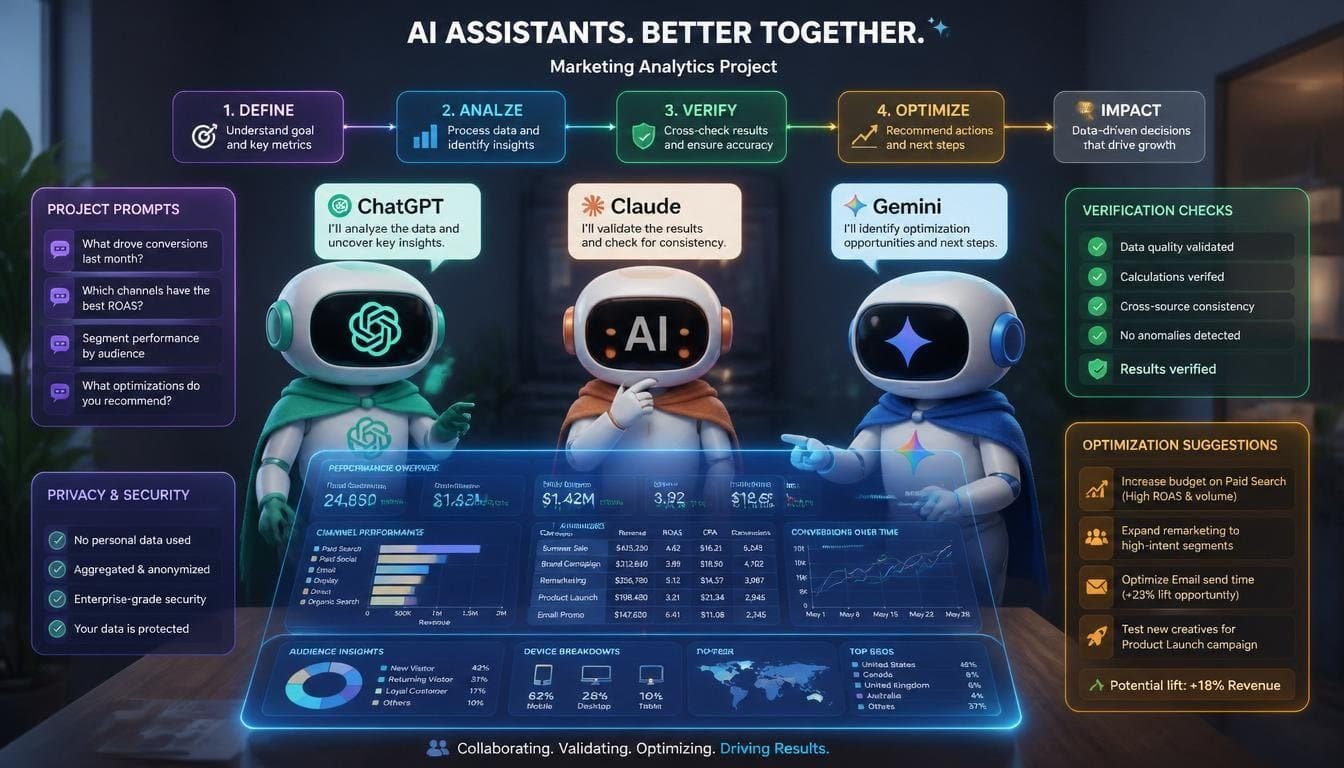
Core Marketing Analytics Tasks You Can Tackle
Campaign performance analysis:
- We look at Return on Investment (ROI) Return on Ad Spend (ROAS) Cost Per Acquisition (CPA) and conversion rates to see how well our campaigns are doing.
- The goal is to understand what works and what does not.
Customer. Insights:
- We study how customers behave and what they think about our products or services from their feedback and reviews.
- This helps us find patterns and areas for improvement.
Predictive. Forecasting:
- We analyze how different channels are performing and identify risks of customers leaving.
- This way we can prepare for the future. Make better decisions.
Competitor and market research:
- We summarize reports and trends from the market and our competitors.
- This gives us an idea of where we stand and what we can improve.
A/B testing optimization:
- We break down the performance of our content. Provide recommendations on how to improve it.
- We test versions to see what works best.
Reporting and visualization ideas:
- We create summaries, charts and executive dashboards to help present the findings.
- The aim is to make the data easy to understand.
SQL/Python query generation:
- We create queries for analysis, in Business Intelligence (BI) tools.
- This helps us dig deeper into the data and find insights.

How to Use ChatGPT from OpenAI
ChatGPT, the GPT-4o model or higher with Advanced Data Analysis and Code Interpreter in paid plans is really good at handling different kinds of data making it visual and working with plugins or custom GPTs.
Some key strengths of ChatGPT include:
- Uploading CSV or Excel files
- Running Python code for statistics and visuals
- Creating charts
- Handling tasks
Here are some practical steps to use ChatGPT:
- Upload your data. For example you can export your campaigns from Google Ads, Facebook or GA4 as a CSV file. Then you can ask ChatGPT to analyze your marketing performance spreadsheet. You can say something like “Analyze this marketing performance spreadsheet. Identify the 3 channels by ROI create a chart and suggest optimizations.”
- Use structured prompts. For instance you can say, “Act as a marketing analyst. Look at this data: [. Upload]. Calculate the ROAS, which’s revenue divided by spend, segment by audience and recommend how to reallocate the budget.”
- Advanced Data Analysis allows ChatGPT to clean your data do analysis and generate plots, such as trend lines for channel performance.
- Custom GPTs can be. Created for specific tasks like “Marketing Research and Competitive Analysis.”
- Integration with tools like Zapier or APIs can help automate reports.

Some tips to keep in mind:
- Start with structured data.
- Always verify the outputs as ChatGPT can sometimes make mistakes in calculations.
- You can iterate with follow-ups like “Recalculate with a definition of revenue and spend.”
- ChatGPT is good, for marketing workflows.
How to Use Claude (Anthropic)
Claude is really good at thinking especially the Sonnet and Opus models. It can handle a lot of information like documents or datasets and it is very good at analyzing things carefully and giving structured answers. People like it because it gives insights about campaigns and it is helpful with coding and automation.
Claude has some strengths. It is good at keeping track of information over time which is called knowledge. It also has something called Skills and Artifacts that help with workflows.. It is strong at understanding complicated data without making things up.

Here are some practical steps you can take:
- Create Projects: you can upload things like brand guidelines, old reports or data dictionaries so Claude can understand the context.
- Data analysis: you can upload spreadsheets or long reports. Ask Claude to analyze the data from a campaign. You can ask it to tell you which things are doing well which things are not doing well what you should test and what you can expect to happen.
- Build Skills: you can make skills like a marketing analyst that can do things like look at funnels or summarize important numbers. You can use something called Claude Code to automate tasks.
- Connectors: you can link Claude to Google Drive or other tools so you can get to your data easily.
- CRM and feedback analysis: you can paste in things like user interviews or exports. Ask Claude to look at the sentiment the pain points and the ideas, for campaigns. Claude can help you understand what people are saying about your campaign.

Tips:
- It is great for multi-step thinking especially, with big files.
- You should use it for strategy papers. When accuracy is important.
- Try combining it with the feature to create clean tables and dashboards.
How to Use Gemini (Google)
Gemini works well with Google tools like Sheets, Analytics, Ads and BigQuery. This makes it perfect for people who already use Google Workspace. It lets you use types of input and it can predict things using Google Cloud.
The good things about Gemini are that it is connected to Google data it has interactive dashboards. It can create content inside the tools.
Here are some things you can do with Gemini:
- In Google Sheets or Docs you can use the Gemini sidebar. You can upload data. Link to a campaign and ask for a summary, trends or a chart.
- When you upload data you can say something like “Look at this data from Google Ads and make a dashboard that shows how well it is doing and give me some ideas.”
- You can also use BigQuery to get ideas about the people who are looking at your ads or who might want to buy something from you.
- If you are making a marketing plan you can use Gemini to make reports come up with ideas for ads or think of ways to test which ads work best.
- If you are doing research Gemini can help you find information about what’s popular, on the web and what people are searching for.

Best Practices for All Three
When giving prompts, be precise about your role, what you need to do, data specifics, preferred output format, and any limits (like using only the provided data dictionary). For example, say you’re a Senior Marketing Analyst needing a breakdown of campaign costs in a table, not bullet points.
First, clean your data and remove personal info. Explain jargon like what a metric means.
Make sure everything checks out by double-checking numbers and use different methods to verify results.
Keep refining based on past discussions. Maybe the last time you said, “Add these filters to the earlier study.”
Always protect privacy. Don’t upload info that identifies individuals and opt for professional tools when possible.
Lastly, integrate your work through API’s or other apps like Zapier and native tools. Send your findings to business intelligence systems.
Leverage each AI’s strengths – like Claude for complex analysis, ChatGPT for making charts and quick tasks, and Gemini for anything related to Google data.

Limitations to Keep in Mind
Hallucinations, especially in complex math problems, always need validation. Data is limited by context windows and upload sizes, but these are getting better over time. They don’t offer real-time execution; you’ve got to run the SQL or code yourself using your tools. To make up for bias and freshness issues, it’s best to supplement with current data and tools. And of course, advanced features come with a cost; you have to pay for the paid tiers.
Final Thoughts
ChatGPT, Claude, and Gemini make marketing analytics simple and fun. Start small, upload one campaign file today and ask a question. You’ll quickly see better results and save lots of time.